Move between projects. Keep your place.
Switch workspaces with the radial selector. Keep each project’s shells, agents, and background tasks together.
 pexer
v0.5.0-alpha
pexer
v0.5.0-alpha
Your local and remote terminals, in one native Windows workspace. Keep agents running independently of the window, and bring idle sessions back when you need them.
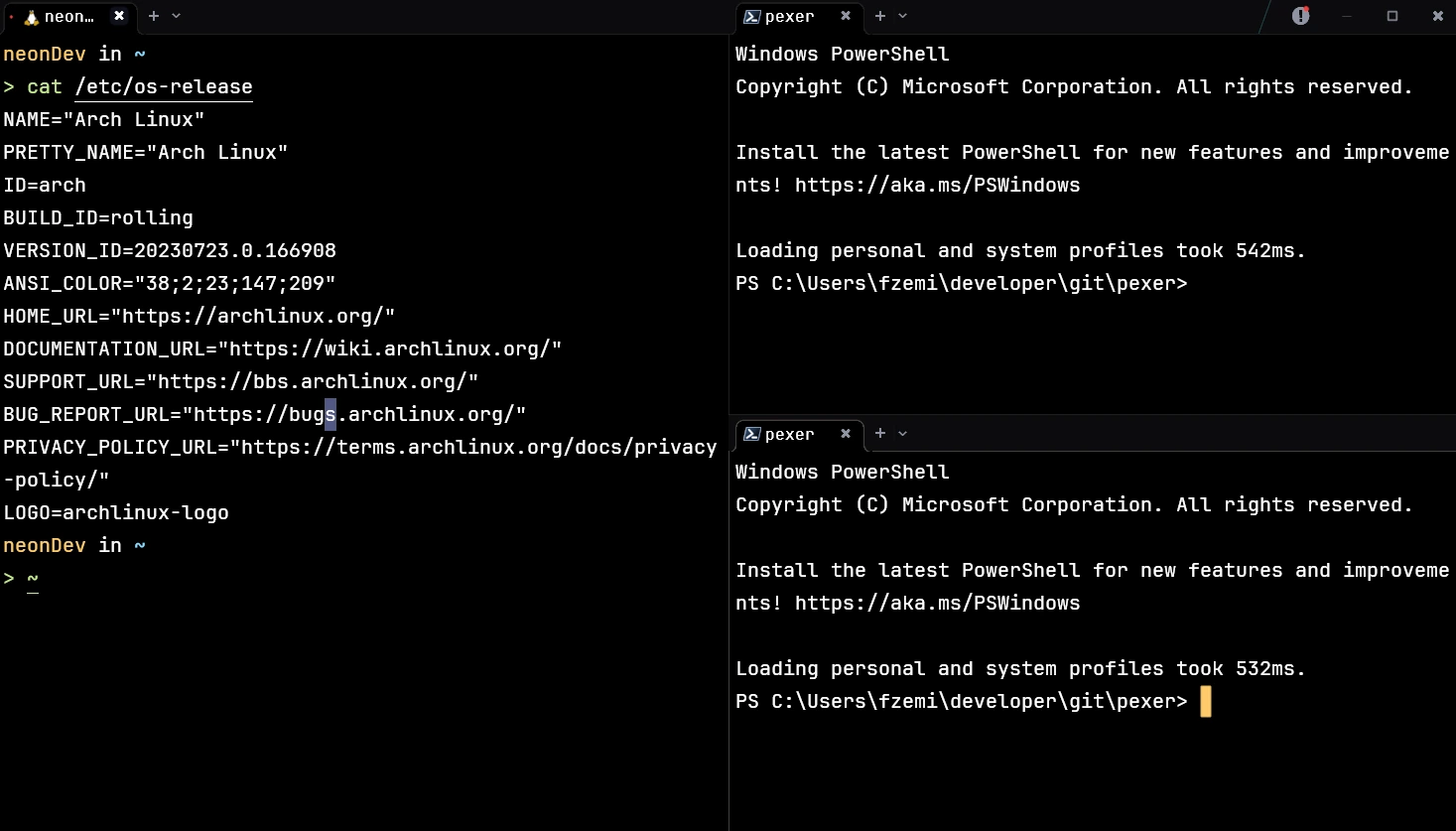
One portable executable. No installer or external runtime.
Multiple terminals. Persistent sessions. One workspace.
Idle Windows sessions dehydrate. Return to restore their state.
Everything you need to move between projects, without losing the thread.
Every detail built for speed, native GPU rendering, and focus.
Spring-damped column kinematics and infinite horizontal scrolling locked to your monitor's native 120Hz/240Hz refresh rate.
Tactile caret physics powered by second-order harmonic dynamics that glide seamlessly across text, split panes, and tabs.
Switch between Workspaces Overview (horizontal ribbon rows preserving spatial layout) and Multi-Column Grid mode with F3. Living previews keep your last active frame, with instant tags for @working, @blocked, @idle, and @ai.
Unified slide-over drawer with 3 tabs: live Notifications & AI agent alerts (with diff line counts), split Git Diff viewer with syntax highlighting, and fuzzy File Explorer browser.
Hold Ctrl to inspect terminal paths instantly: auto-aligned CSV tables, SQLite schemas & records, interactive 3D wireframe models (.obj, .stl, .gltf), image previews, syntax-highlighted code, hex dumps, and directories.
Built-in lightweight modal code editor with syntax highlighting, line numbers, word jumps, clipboard integration, and instant Ctrl+S save, alongside interactive 3D model turntable inspection and image viewing.
Multiplex terminals on a Linux host through pexerd. Keep processes on the server, organize them into local panes, and reconnect to their sessions from Pexer.
Hot-reload custom GLSL shaders on DirectX 11, fine-tune cursor spring dynamics, and configure themes and fonts in real time without raw JSON.
Sub-millisecond launch into Ubuntu, Debian, Arch, or Fedora with direct ConPTY pipes, seamless Windows-Linux path translation, and zero VM lag.
Local and remote multiplexing, persistent processes, and memory that adapts to what you use.
| Workflow | Pexer | Windows Terminal | VS Code Terminal | WezTerm |
|---|---|---|---|---|
| Multiplex remote terminals | Remote sessions in native panesConnect to Linux pexerd, organize multiple terminals, and return to server-owned sessions. | SSH in tabs; server-side persistence through an additional multiplexer | Remote SSH workspaces and integrated terminals | SSH domains and remote multiplexer domains |
| Reclaim idle memory | Dehydrate now. Rehydrate on return.On Windows, idle terminal state is saved and released; suspended process trees resume when needed. | Configurable scrollback history | Configurable terminal scrollback and session persistence | Configurable scrollback and multiplexer lifecycle |
| Know who needs you | Built-in agent trackingWorking, waiting for input, or finished. See status across your sessions. | Terminal output, tab titles, and bell notifications | Terminal, task, and shell status inside the editor | Custom status displays through Lua scripting |
| Separate work from the window | A client exit needn’t end the session.pexerd owns the processes separately from the GUI. Reattach while the daemon and host remain running. | Persistent processes require a separate session manager | Session reconnection on reload; process revival on restart | Persistent sessions through multiplexer domains |
| Move between projects | Your workspace, one gesture awayRadial selector, live tab previews, and tiled panes keep projects together. | Tabs, split panes, and multiple windows | Editor workspaces and terminal split groups | Workspaces, tabs, and configurable key bindings |
| Native foundation | C + Direct3D 11 + Ghostty VTA dedicated Windows app with GPU rendering and no Electron runtime. | Native Windows app with GPU-accelerated rendering | xterm.js inside the Electron-based editor | Rust-based, GPU-accelerated terminal |
| Make it yours | Configure it visually. Automate by CLI.Settings panel, command palette, and pexerctl for your own workflows. | Settings UI, JSON, and command-line launch options | Editor settings, terminal profiles, and tasks | Lua configuration, scripting, and CLI |
The Linux daemon maintains terminal state and sends screen updates for subscribed terminals. Protocol v2 uses deltas when possible and full frames when needed to resynchronize. This keeps remote display updates tied to terminal state.
Windows dehydration saves terminal state, releases its in-memory surface, and can suspend and trim the terminal’s process tree. Rehydration restores state and resumes those processes. A suspended process is paused; dehydration is distinct from keeping active remote jobs running.
The recorded Ghostty terminal-feed benchmark reached 14.28 MiB/s with 16 panes and 16.57 MiB/s with 4 panes. These are local harness results, not network throughput, graphical frame times, or a comparison against another terminal.
One workspace for your agents. One payment to make it yours.
Choose your licenseOwn your terminal host forever. Zero recurring subscriptions.
Fully functional standalone preview build with zero artificial limits.
— free downloads
Special alpha pricing before version 1.0. Pay once, own forever.
Never pay again. All future major versions (v1, v2, v3+) included forever.
Enrolled students, educators, and academic researchers receive 25% off the Founding License ($13.49 total). Send an email to [email protected] from an accredited .edu or university address to receive your private checkout discount link.
Deploying Pexer across your engineering team? We provide transferable multi-seat packs (5, 10, 25+ seats), centralized license management, VAT-compliant corporate invoices, and priority developer channels.
Licenses, updates, and a few practical details.
[email protected] from your institutional .edu address. We will send you a unique 25% discount checkout code for the Founding License ($13.49 instead of $17.99). This discount applies exclusively to the Founding License.
[email protected] with your seat count.
[email protected] or message on Discord for an immediate refund.